
Everything RepAscent HQ does
Every part of it, screen by screen.
Nine areas, each on its real screen with a demo business and made-up clients. Everything here runs a real coaching business today, unless it says coming or being proven. You switch each one on with a step-by-step setup checklist.
Twenty seconds each.
Six real coaching workflows, filmed on the demo business with made-up clients. They play as you scroll.
01 · For your clients
Your branded client app
Your name, logo, colours and fonts, not a software company's. Clients save it to their phone and it's where they train, eat, check in and book.
- Their programme, every set logged against last time. Timers for planks, minutes and distance for cardio.
- Works with no signal. Saves wait on the phone and send when they're back online.
- Weigh-ins, habits, cardio and a badge library of 100 badges in 10 levels.
- Book and move their own sessions inside your hours, with a weekly nudge you can switch on if they haven't.
- Pay, update their card or ask to pause their plan.
- You choose which tabs and Home sections each client sees.
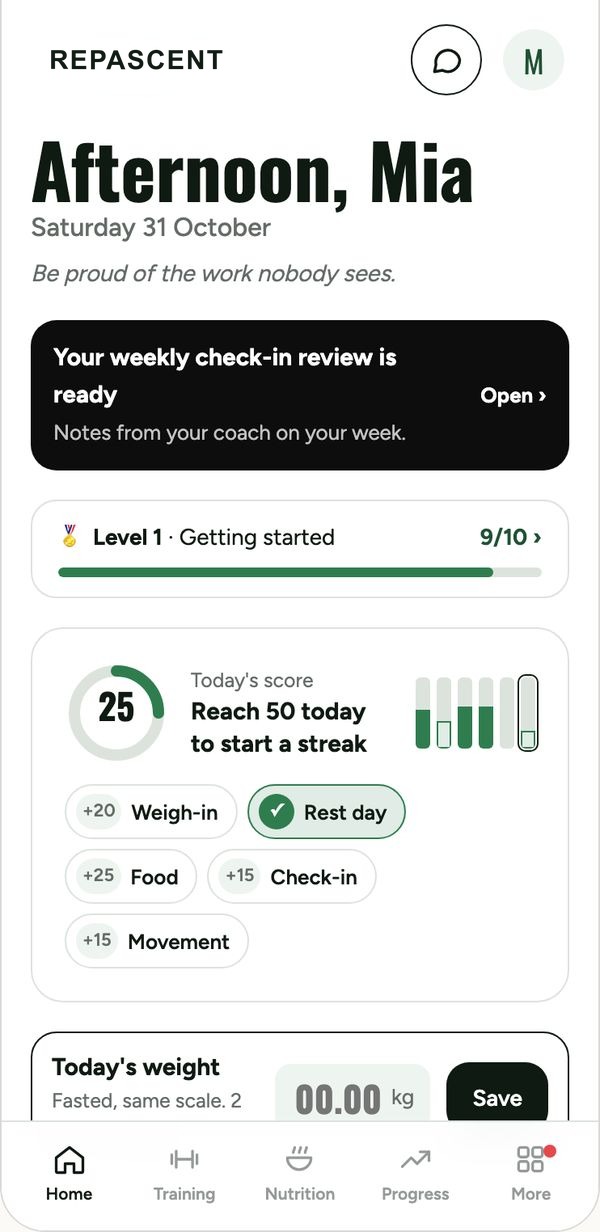
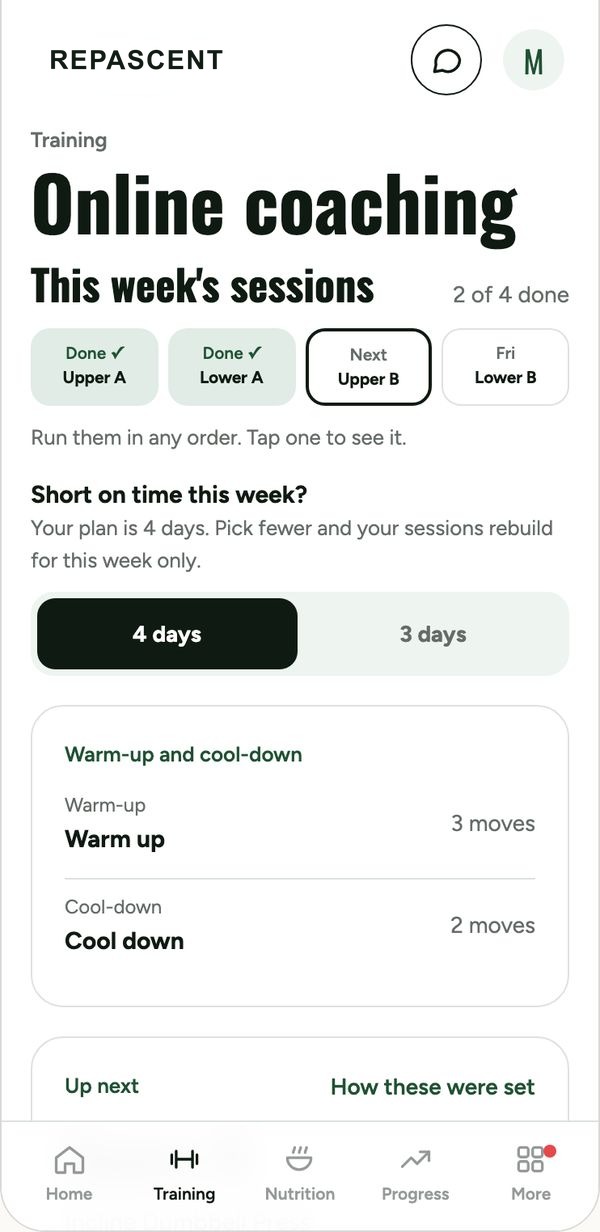
Home and Training, in a demo coach's brand.
02 · For your clients
Meals and food logging
Write a meal plan once, set the targets, and clients log against it from the same app they train in.
- Meal plans and macro targets, saved as templates you reuse and tweak per client.
- Food logging by search or barcode.
- 8,500 restaurant meals from 55 Australian chains, so eating out gets logged too.
- A shopping list built from their plan.
- Meal plan changes go out to their app the moment you save them.
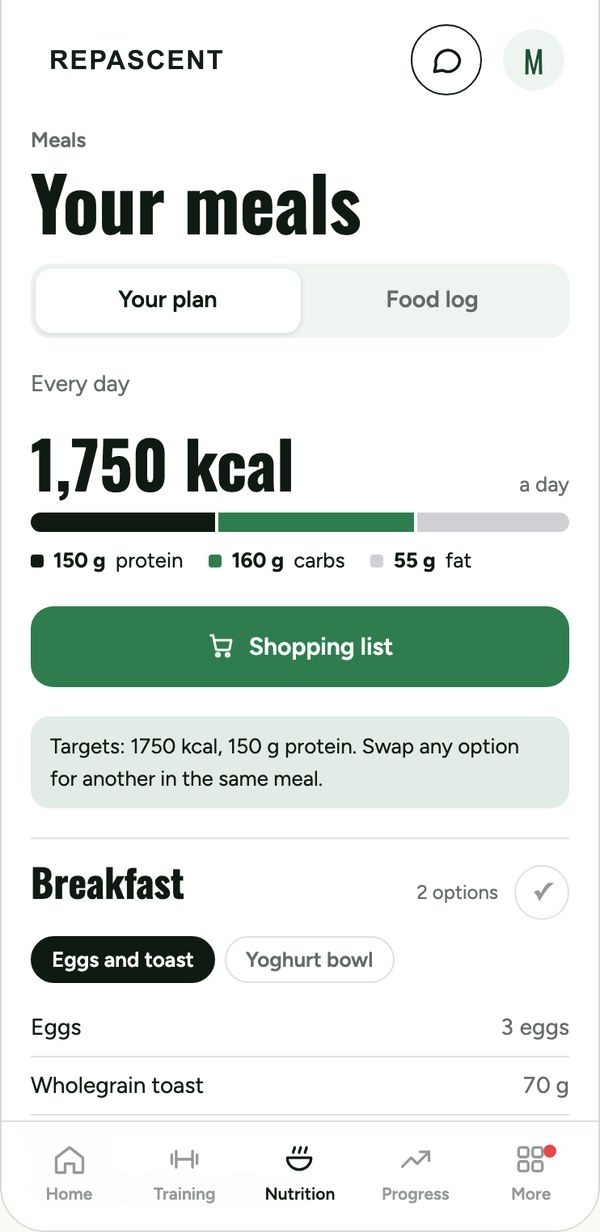
The Nutrition tab.
03 · Every week
Weekly check‑ins and progress
Check-ins are due Wednesday. Every one lands in a single list in HQ, oldest first, with everything you need to reply well.
- Scores, weight, photos and video (up to 250 MB) in one check-in.
- Reply in writing or with a voice note, straight into their app.
- Progress photos lined up by slider or side by side, so you compare the body, not the camera angle.
- Weight trend against goal, and a health score, in each client's file.
- Anyone who goes quiet shows up on your Today screen.
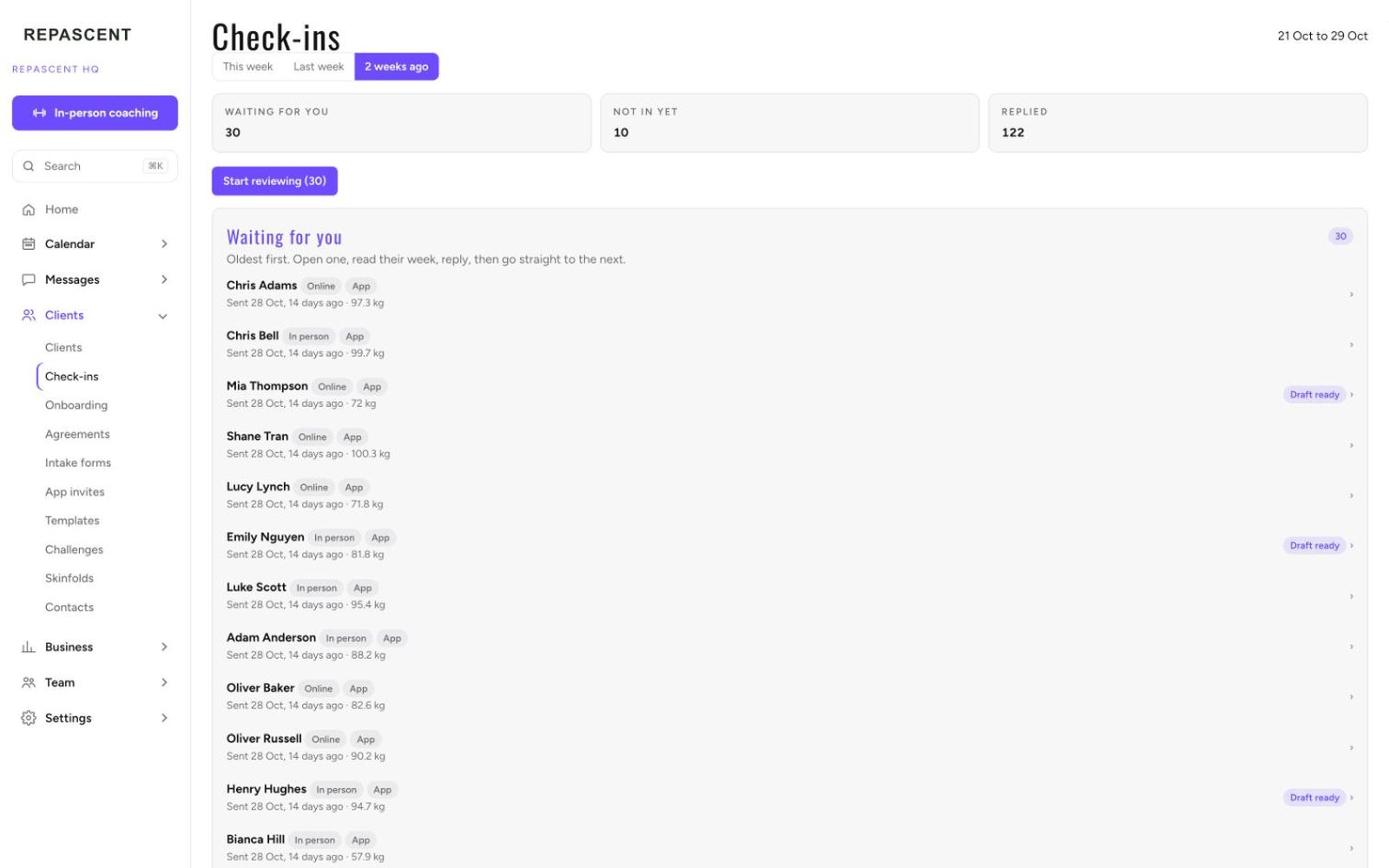
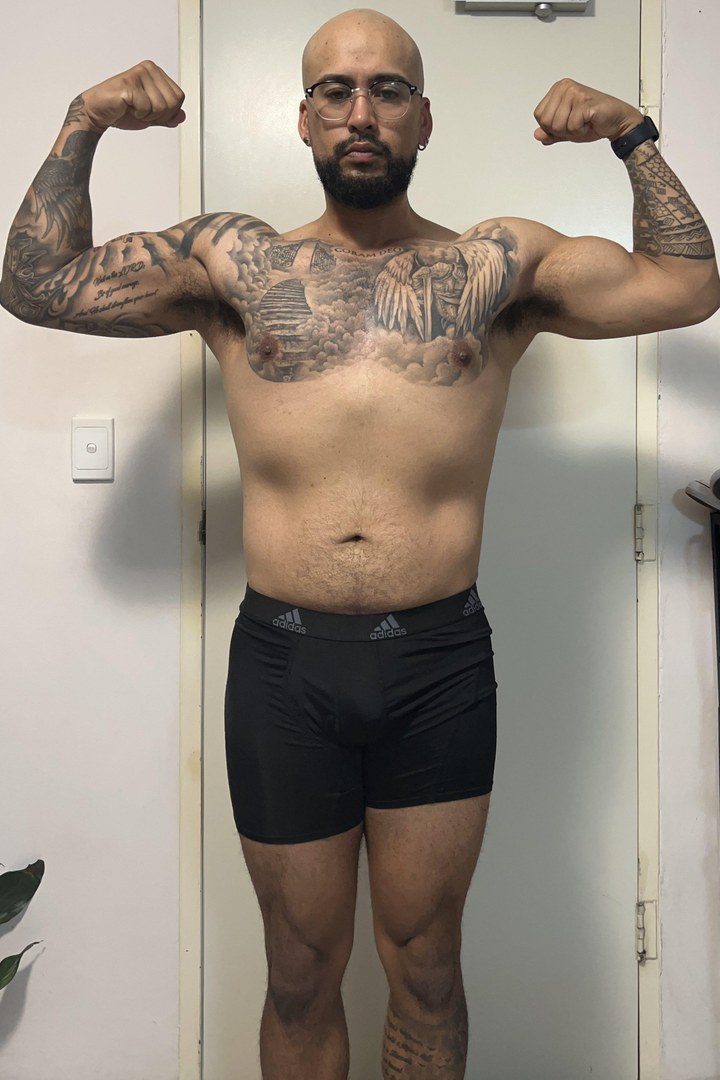
Check-ins in HQ. Below: the progress photo slider, with my own photos.

04 · In person
The gym floor on an iPad
For coaches who train people in person. The iPad knows who's next and what they did last time, so you coach instead of scrolling.
- Today's sessions with a brief for each client: the session, the lift to beat, their weight trend and how consistent they've been.
- Set-by-set logging during the session.
- Skinfolds with an instant estimated body composition result, every site against their first test.
- A client-safe view to turn the iPad round and show them.
- Agreements signed on the iPad after a consult, intake straight after. Their app is ready before they leave.
- Not training in person? HQ runs in a browser on any laptop. The iPad is optional.
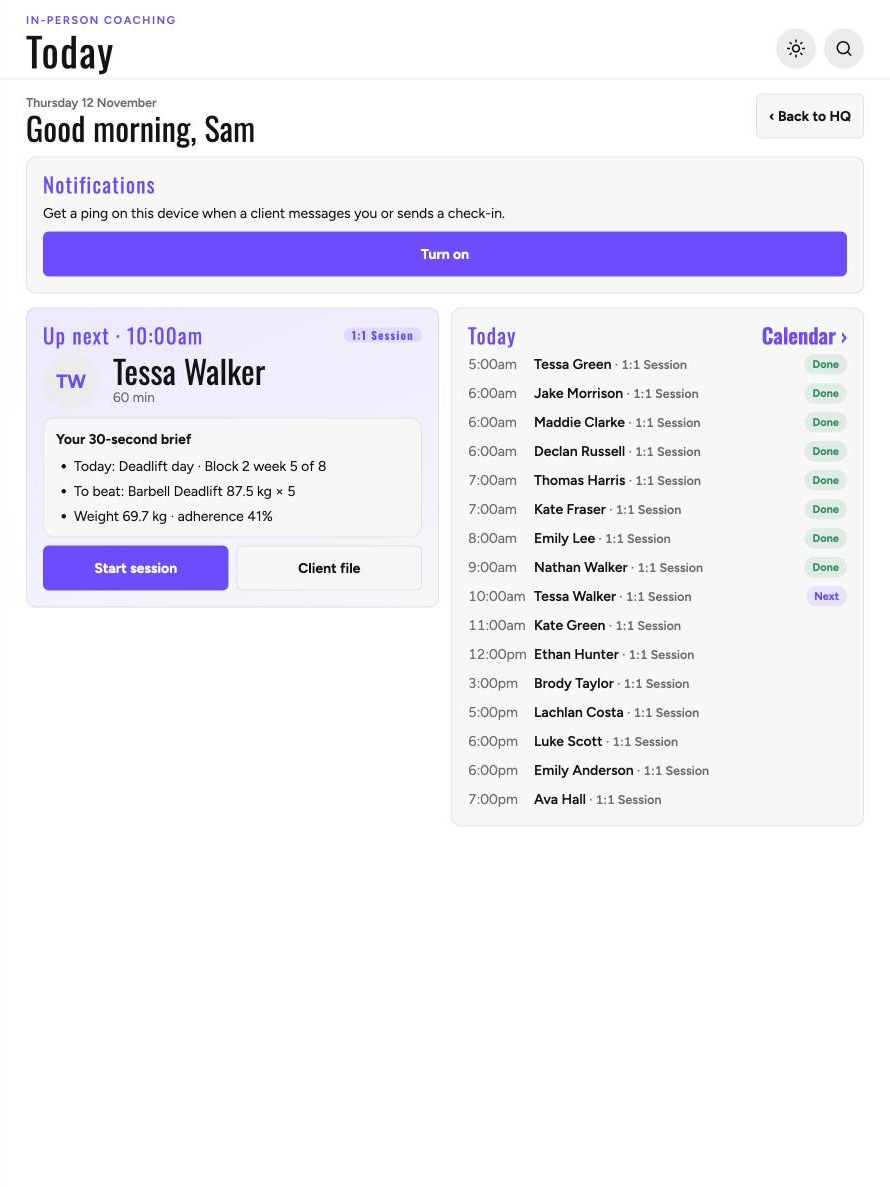
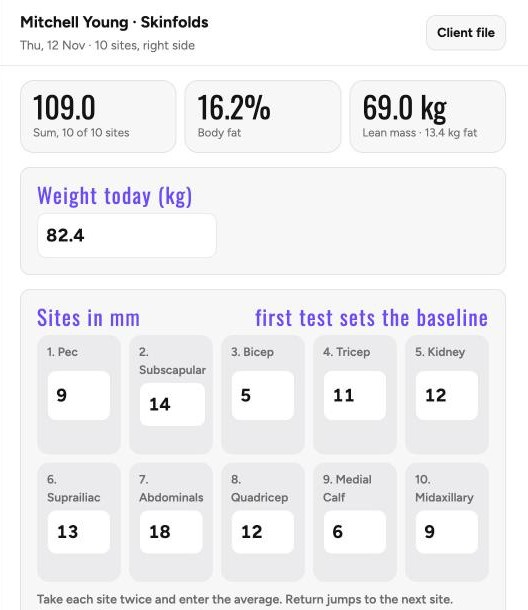
Today, and a skinfold result the moment it's taken.
05 · Sales
Leads to signed client
One pipeline from first message to first session, with the paperwork done on the spot. Ready from day one.
- Lead, consult, agreement, intake, app ready, in one pipeline.Business
- Client agreements with your rate prefilled, signed on the iPad or by link.
- Intake forms you edit yourself.
- A sales tracker on real cash: leads, booked calls, shows, closes and dollars collected, by week, month or year.Business
- Lead sources per coach, so you know where the clients come from.
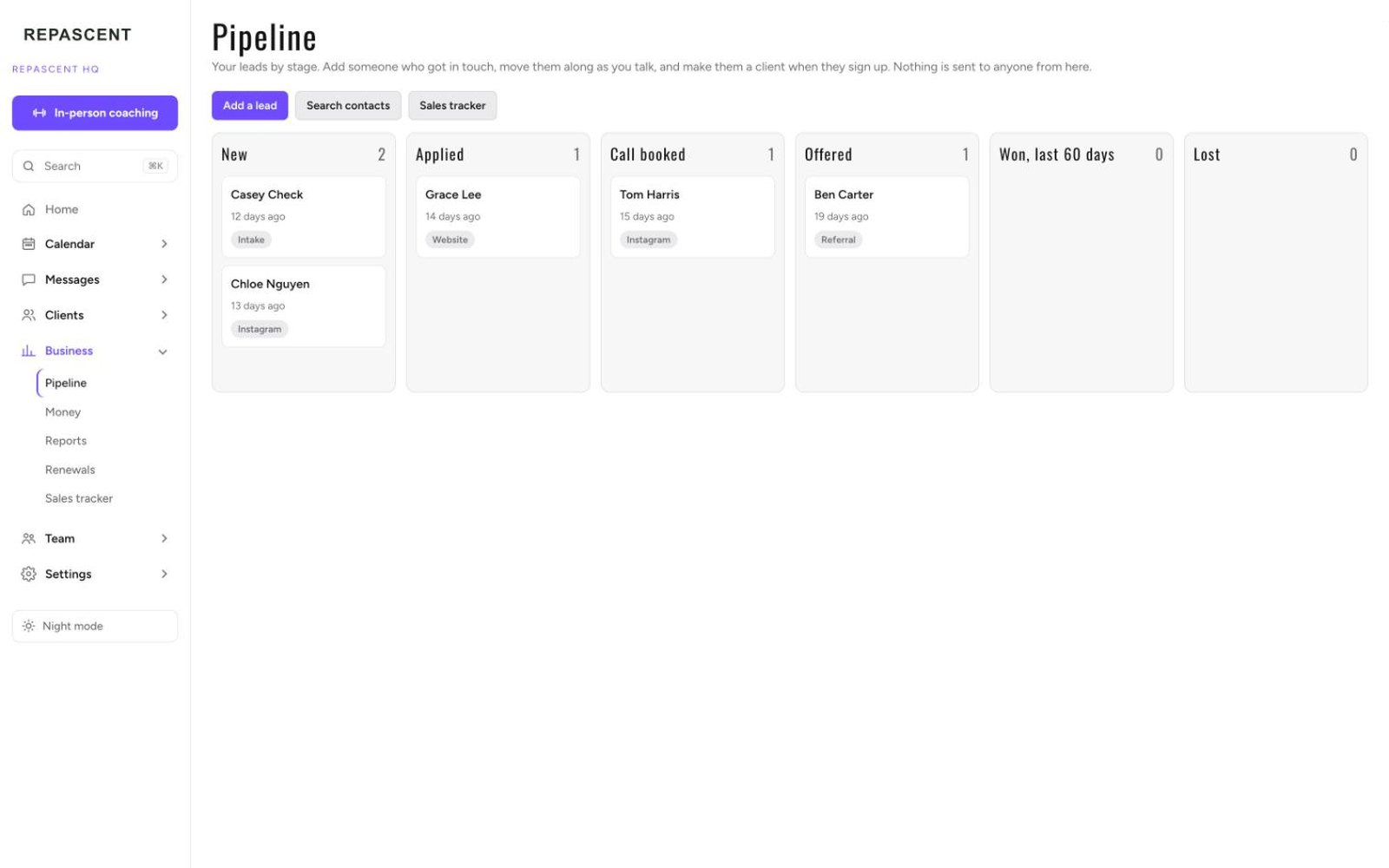
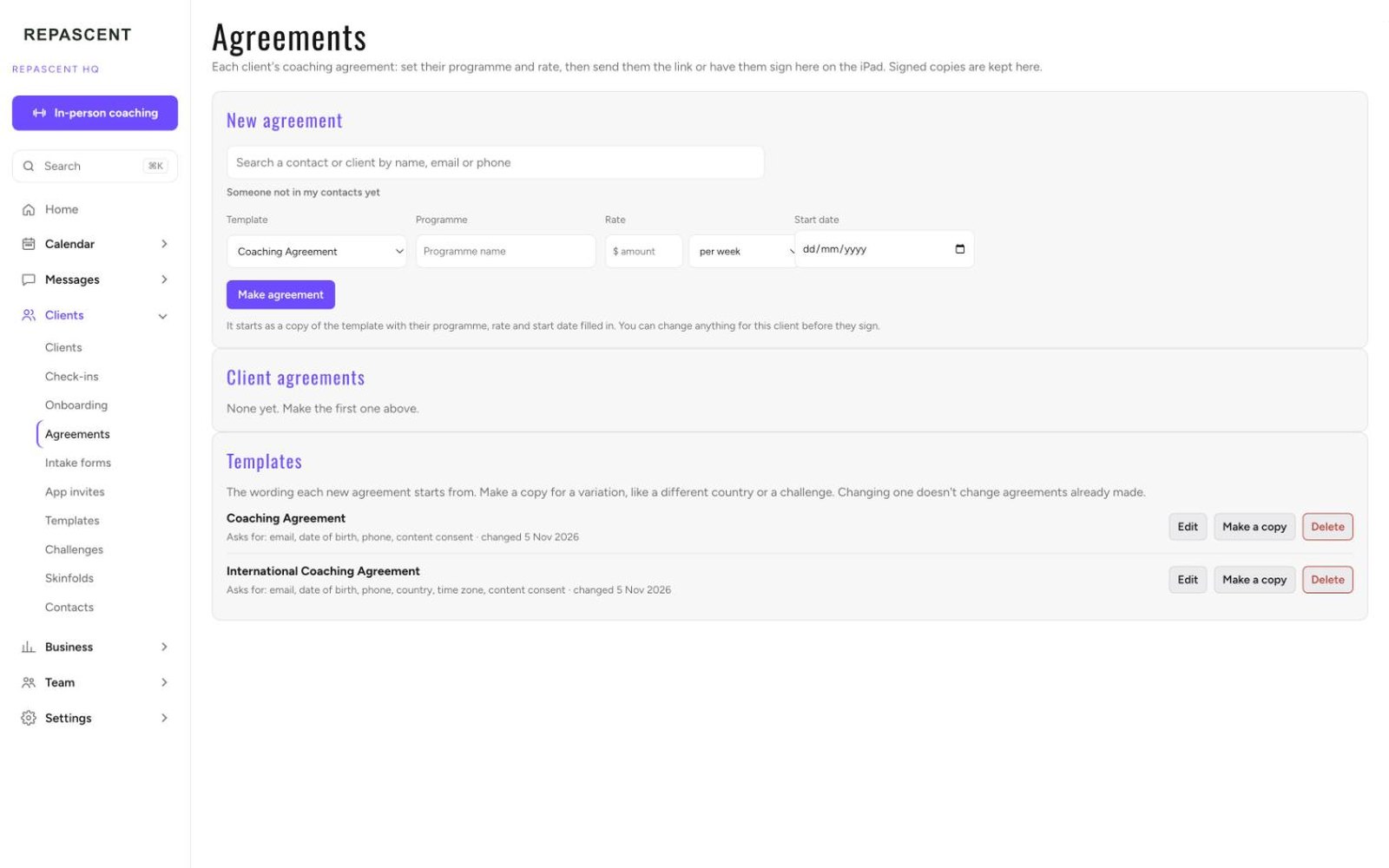
The pipeline, and agreements.
06 · Money
Payments and renewals
Stripe does the charging. HQ shows you who's paid, who's due and who's renewing, and makes the awkward bits a tap.
- Stripe payments, connected to your own Stripe account in a few clicks.
- Every block ending and every payment due in the next fortnight, with the message drafted.
- A failed card is one tap from a polite update link. Reminders that send it for you are an automation, being proven with founding coaches.Business
- Clients update their card in the app, and ask to pause there too.
- Pause in HQ handles Stripe, the term and the app in one go. Resume is one tap for the client.
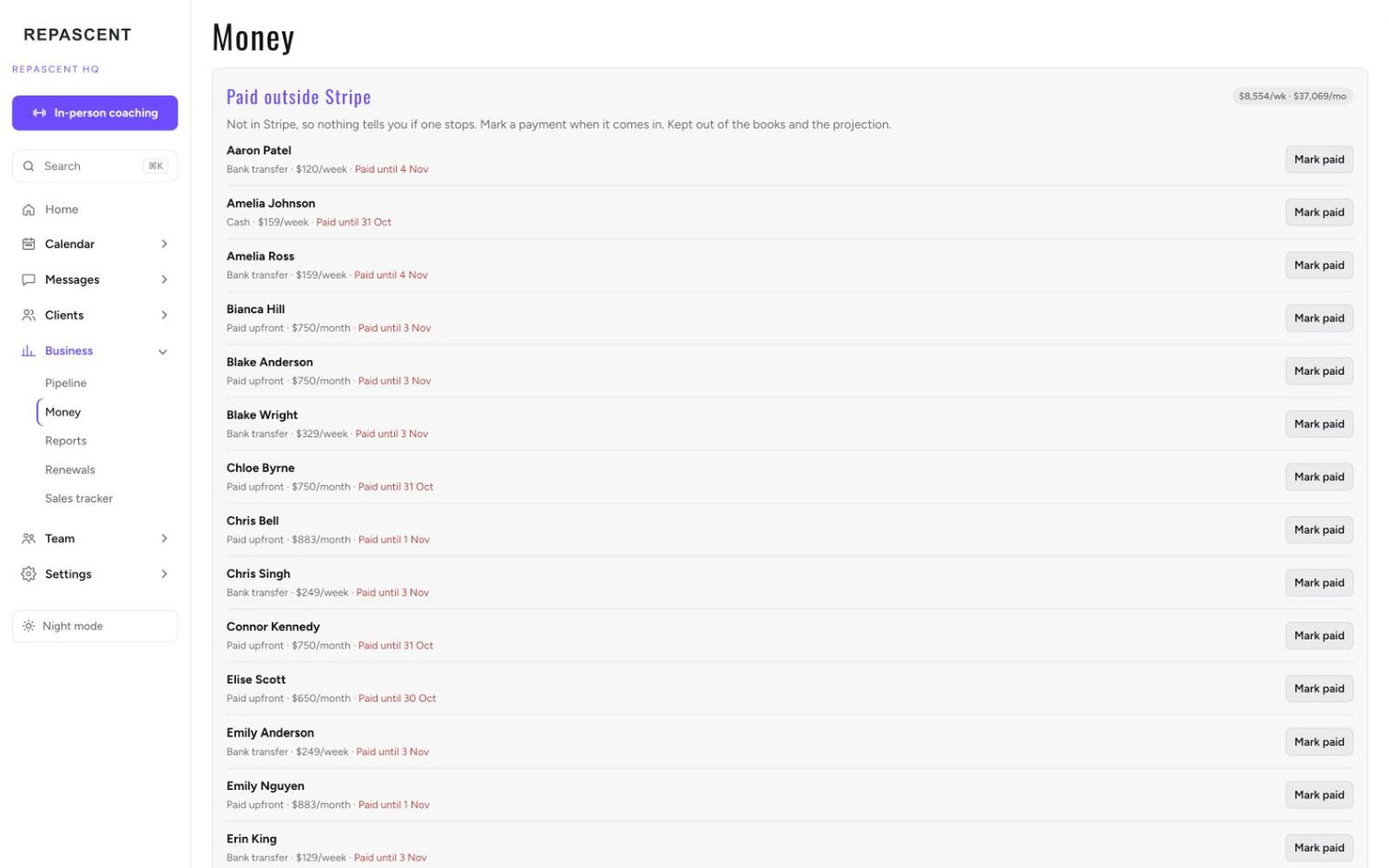
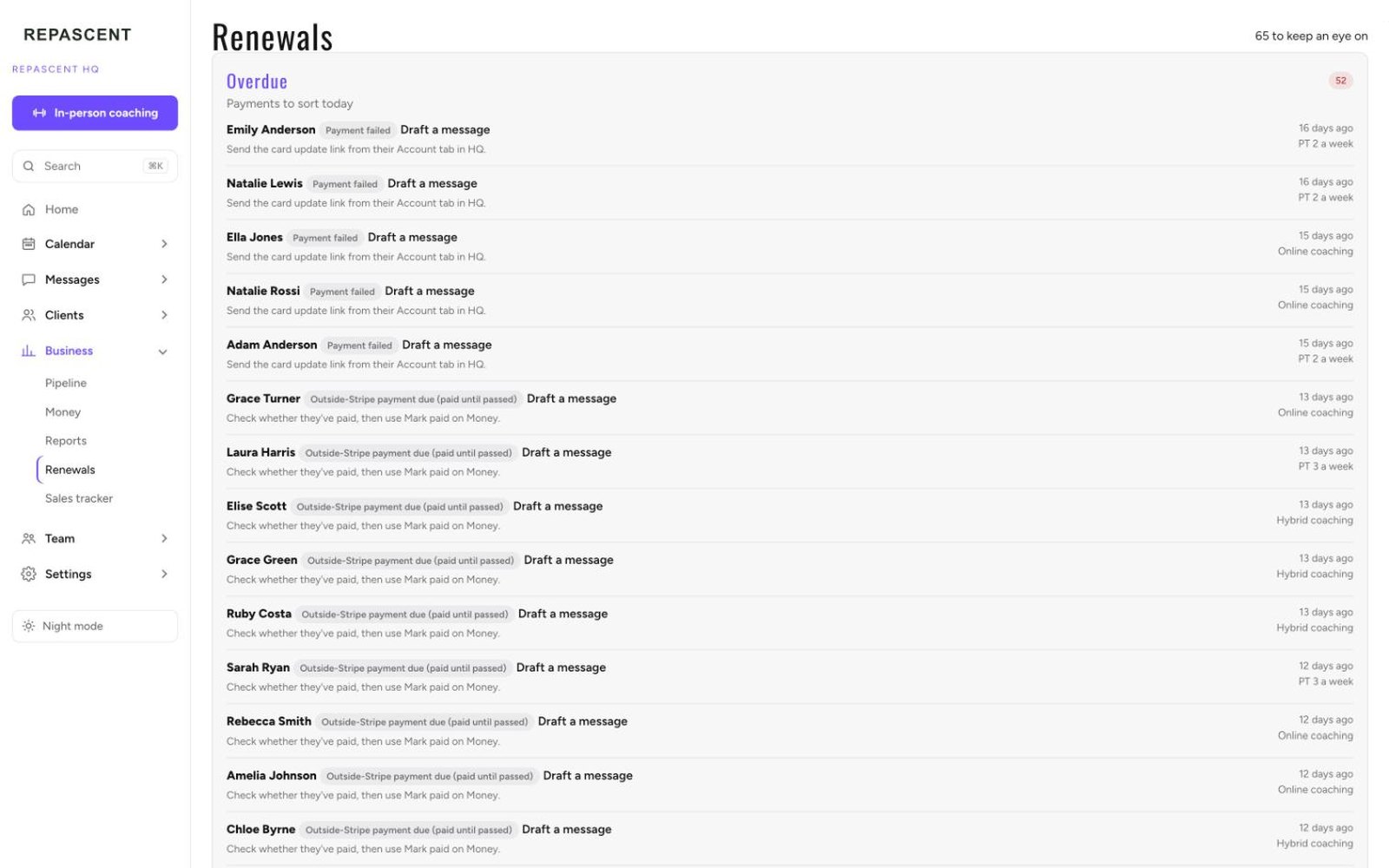
Money, and Renewals.
07 · On its own · Business and Team
Automations you approve
Each rule runs every ten minutes, starts switched off, and shows you what it would have sent. You switch it on when you trust it. Being proven with our founding coaches now.
- Check-ins with quiet clients, booking nudges, failed-payment chasers, renewal reminders.
- Preview before you switch on. Built so the same message isn't sent twice, and nothing it saw while off is sent later.
- Change the words of any message to sound like you.
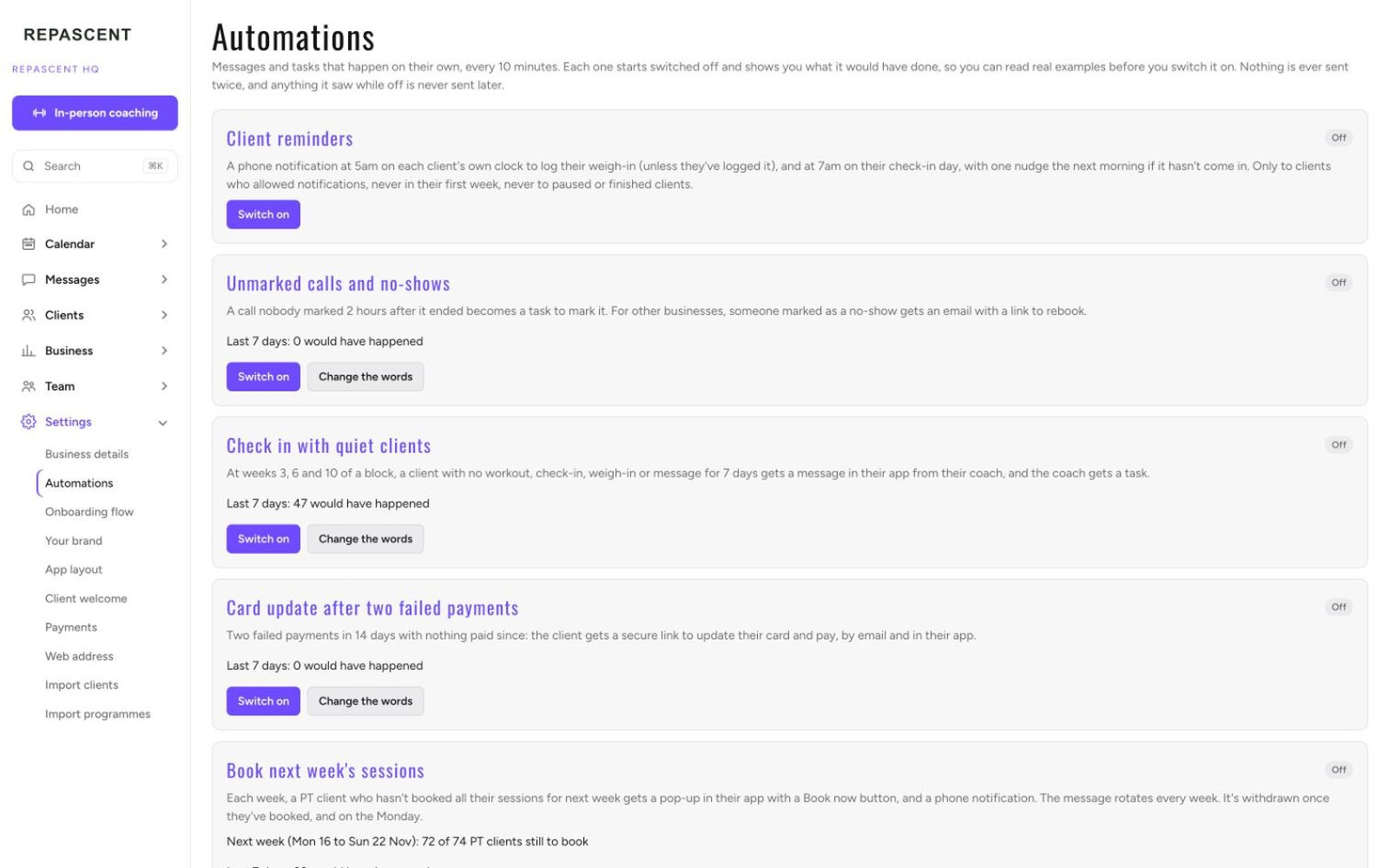
Settings, Automations.
08 · Your desk
HQ: your whole business on one screen
Where you run the business from a laptop. Today tells you what needs you. Everything else is one click away.
- Today: failed payments, check-ins to reply to, blocks ending, anyone gone quiet.
- Your clients, sorted by who needs you most, with their plan, health score and weight against goal.
- One file per client: block, sessions, check-ins, weigh-ins, trend and notes the client never sees.
- Programme and meal plan templates. Programme changes start Monday, or now.
- An exercise library of about 870 movements, plus your own additions.
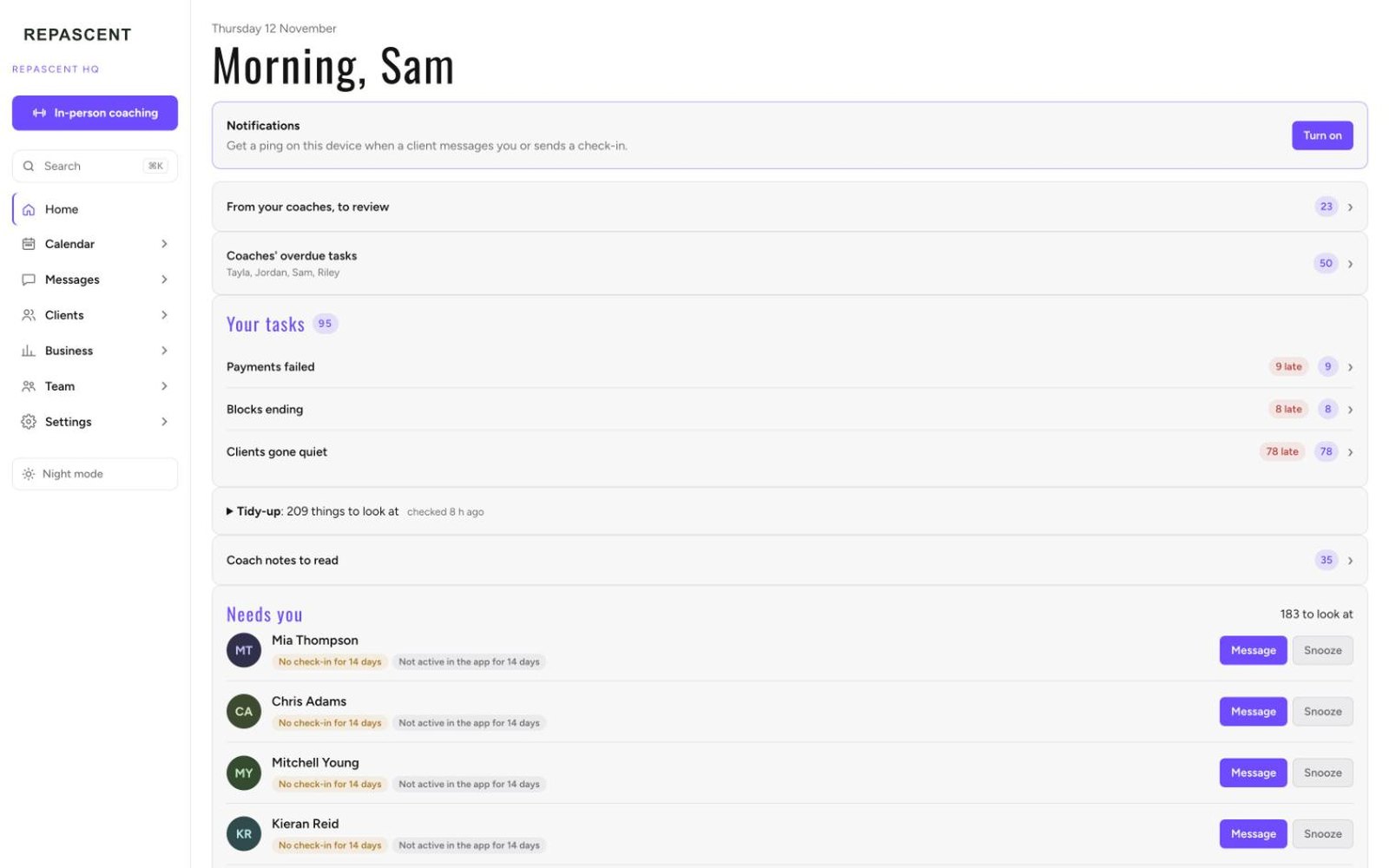
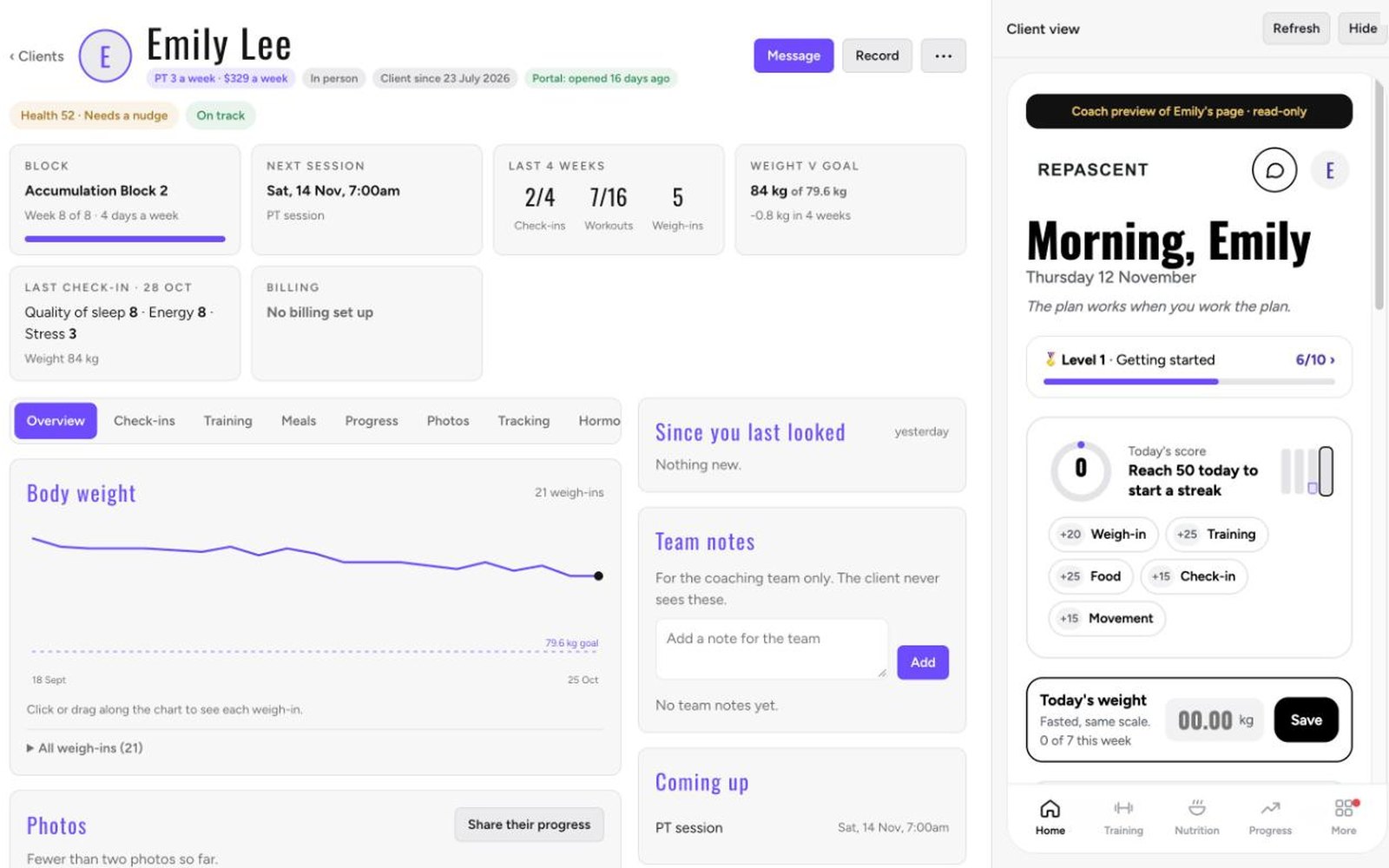
Today, and a client file.
09 · Growing
Your team and your brand
Bring your coaches in, give each their own clients and calendar, and keep the look yours from the app to the agreements.
- Coaches with their own clients and calendars. One on Coach, two on Business (a third at A$39 a month), five on Team.
- Senior coaches approve others' programmes and check-in replies. Coming.Team
- Coach contracts with e-signing, countersigned and filed. Coming.Team
- See HQ exactly as each coach sees it.Team
- Your colours, fonts, logo and app layout, with a live preview of your clients' app while you set it up.
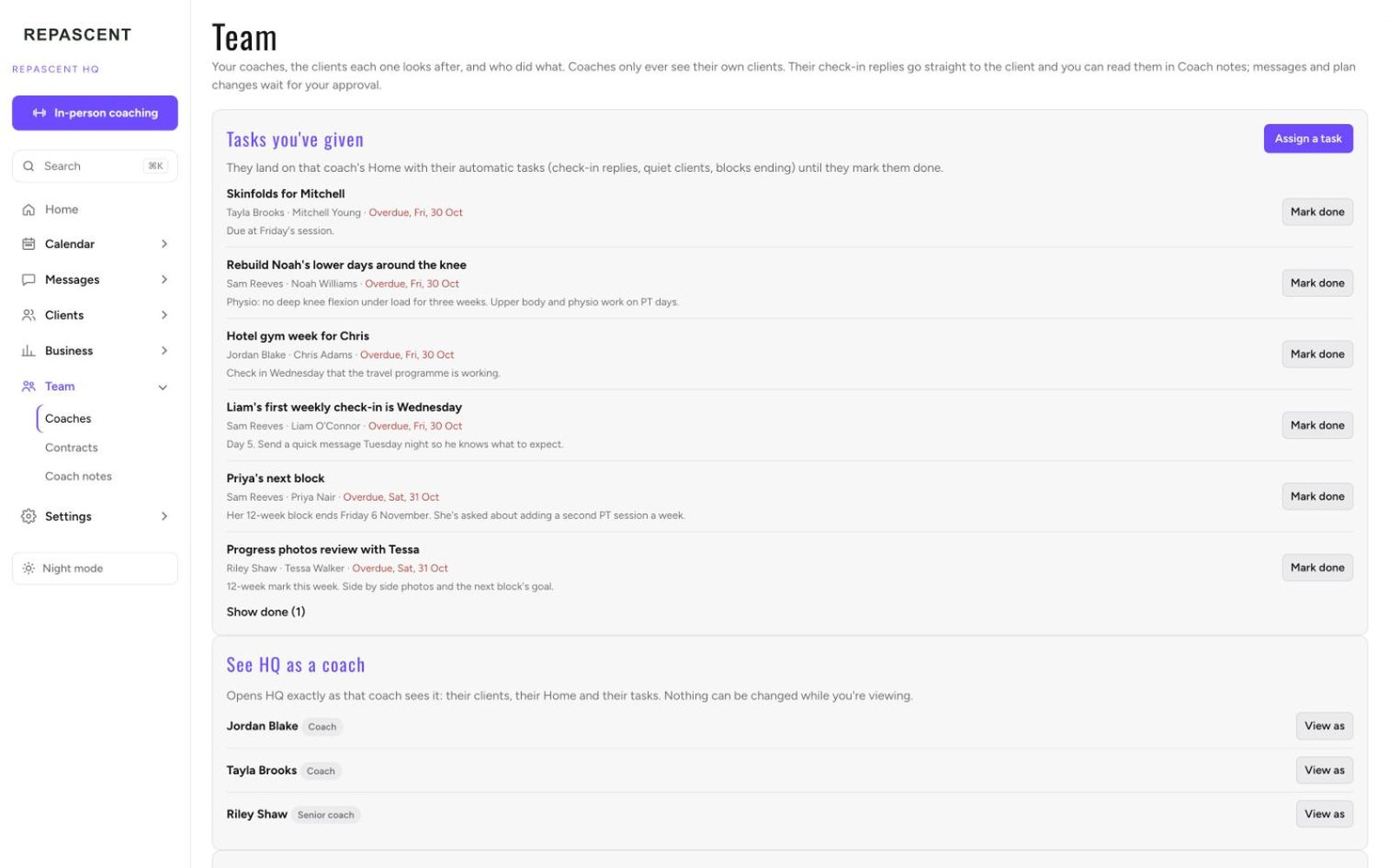
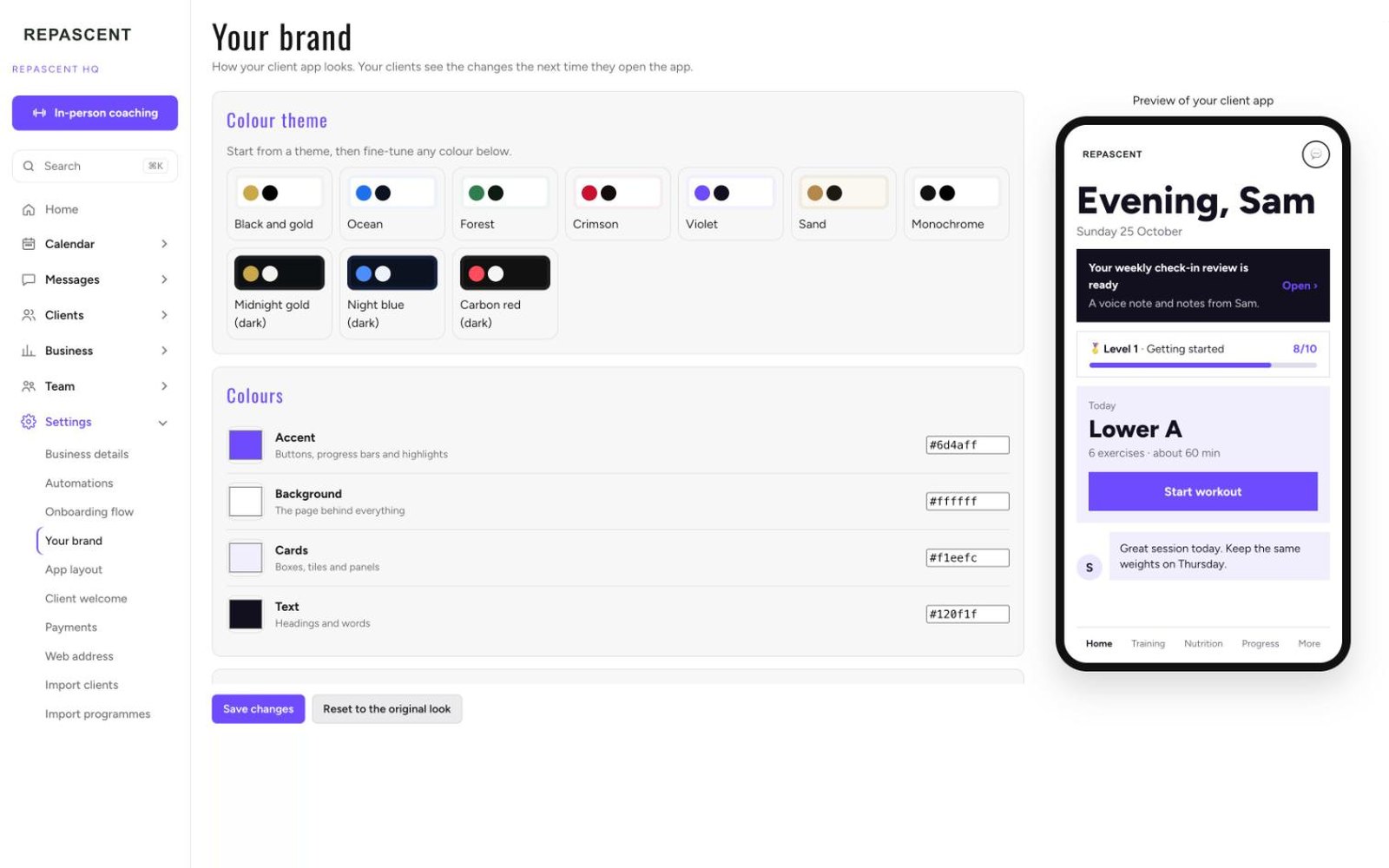
Your team, and Your brand.
A week running on it
What a coaching week looks like when one system does the admin. Every screen is real, shown with a demo business so no client's details are on display.
Monday 5:40am
Before the first client walks in
The day is already laid out: who's coming, in what order, and a brief for each one. Today's session, the lift to beat, their weight trend and how consistent they've been.
Monday 11:00am
A new client signs on the spot
After a consult they sign their coaching agreement on my iPad and fill in their intake straight after. No PDFs, no chasing, no second appointment. By the time they leave, their app is ready.
Tuesday 6:15pm
They train when I'm not there
Clients follow the programme I wrote and log every set against last time. Planks get a timer, cardio gets minutes and distance, and it works with no signal.
Wednesday
Check-in day
Every check-in lands in one list with scores, weight, photos and video. I reply in writing or with a voice note, and it shows in their app.
Thursday 4:00pm
Skinfolds, and the moment they see it
The result is on screen before they've caught their breath: estimated fat lost and lean mass gained, every site compared with their first test. I turn the iPad round.
Friday
Money, without the awkward chat
Who's paid, who's due, who's renewing. A failed card is one tap from a polite update link, and pausing a plan takes two taps.
Saturday 9:00am
Next week books itself
Clients who haven't booked can get a nudge. They pick times inside my hours, and their plan decides how many sessions they get.
Sunday
Nothing
I don't work Sundays. Nothing in the system needs me to.
One system, instead of nine logins
What separate tools cost each month on their published plans, for a coach with about 30 clients, for the jobs HQ does in one place.
Nine loginsabout A$5,000 a year, before you've coached anyone
aboutA$415a month
Founding Businessnormally A$299, or A$1,990 a year upfront. Seven of the nine jobs, about A$365 a month of them: everything but team tasks and team chat
foundingA$199 a month
Founding Teamnormally A$499, or A$3,490 a year upfront. Five coaches and your clients' app on your own web address. Team tasks and chat are coming
foundingA$349 a month
If a client pays you A$1,000 a month, that's five months of one client's fees, every year, spent on logins.
| The job | What coaches usually pay for, and what HQ does instead | A$ a month |
|---|---|---|
| Client training app | Trainerize, ProIn HQ: Your own branded app, every set logged against last time | 112 |
| Nutrition and meal plans | That Clean Life, PlusIn HQ: Meal plans, macro targets, barcode and restaurant logging | 85 |
| Check-in and intake forms | Typeform, BasicIn HQ: Weekly check-ins with photos and video, intake straight after signing | 55 |
| Automations | Zapier, ProfessionalIn HQ: Automations you preview before switching on, being proven with founding coaches now | 43 |
| CRM and pipeline | HubSpot, StarterIn HQ: Leads, consults and onboarding in one pipeline | 31 |
| Contracts and e-signing | DocuSign, PersonalIn HQ: Client agreements, signed in HQ. Coach contracts are coming to Team | 22 |
| Booking | Calendly, StandardIn HQ: Clients book and move sessions inside your hours | 17 |
| Tasks and team projects | Asana, Starter, 2 seatsComing to HQ Team: each coach's tasks | 38 |
| Team chat | Slack, ProComing to HQ Team: a team channel | 12 |
Already on GoHighLevel? It covers the forms, automations, CRM and booking rows for about A$138 a month, with texts, calls and email charged on top. HQ has those jobs built in, with automations still being proven and no outside integrations. Texts aren't included yet.
Each vendor's published monthly price on its monthly plan, checked 29 October and 1 November 2026. US-dollar prices converted at A$1.42 to US$1.
What it's all for
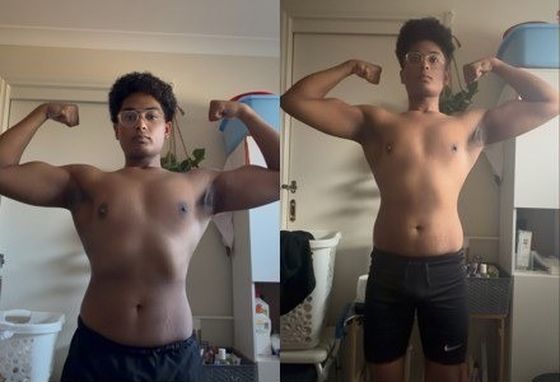
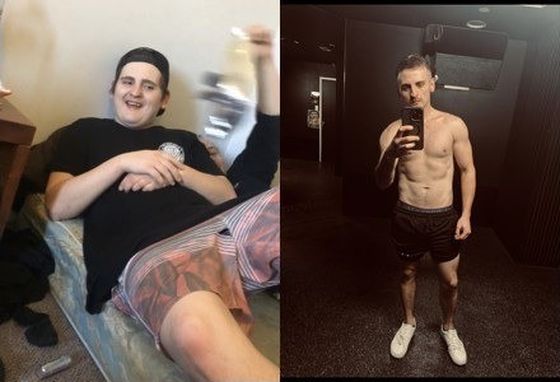
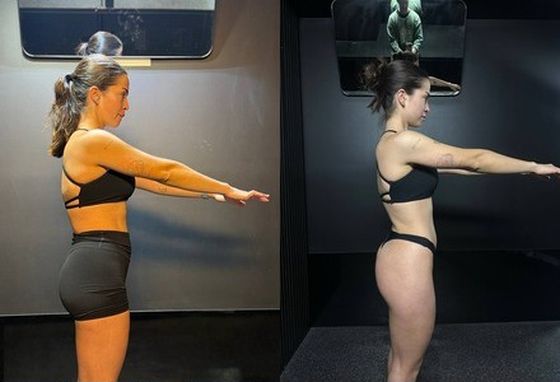
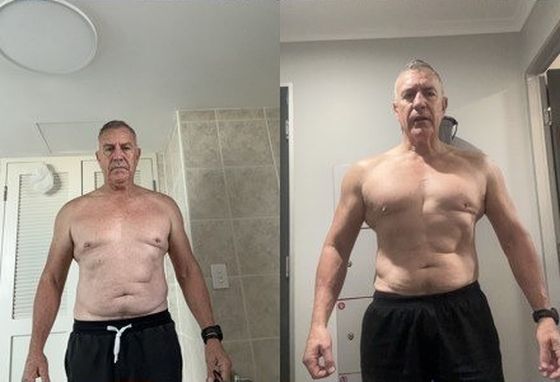
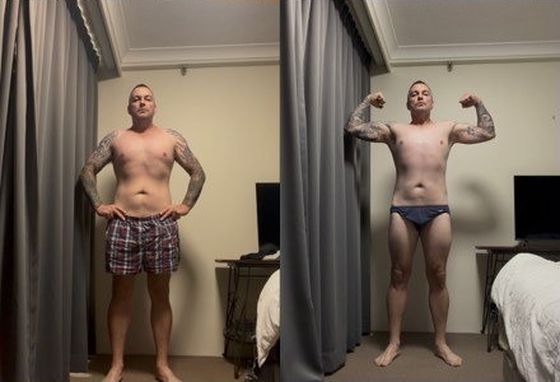
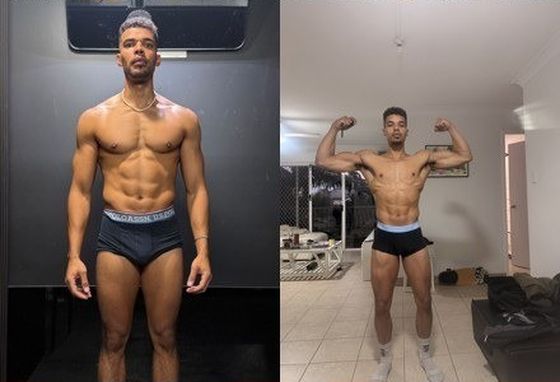
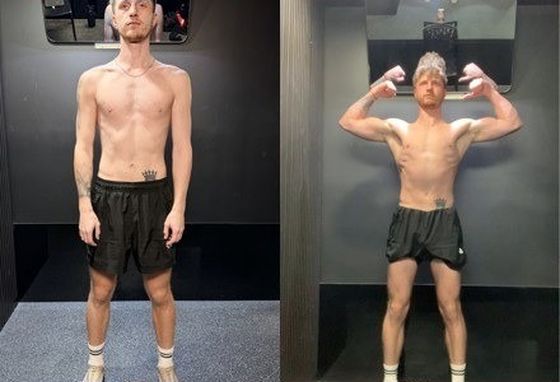
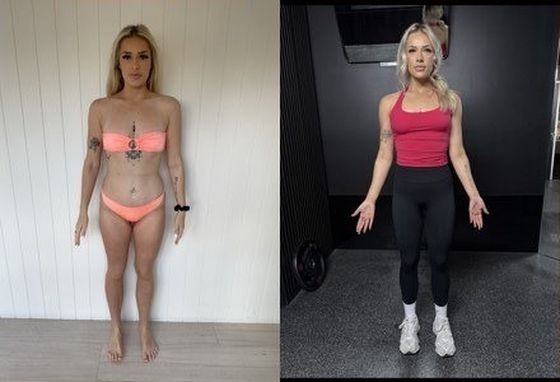
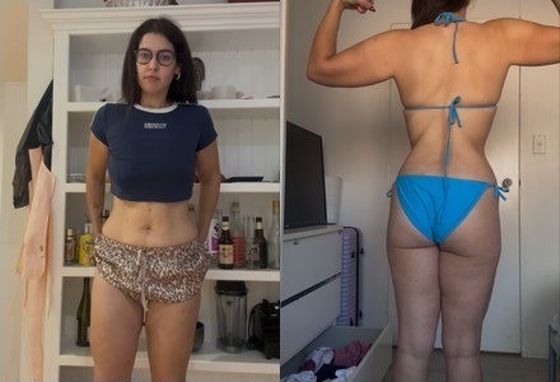
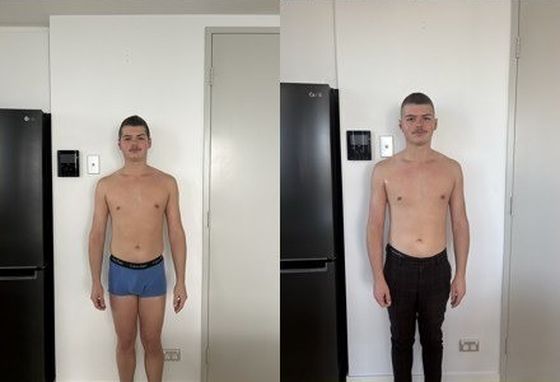
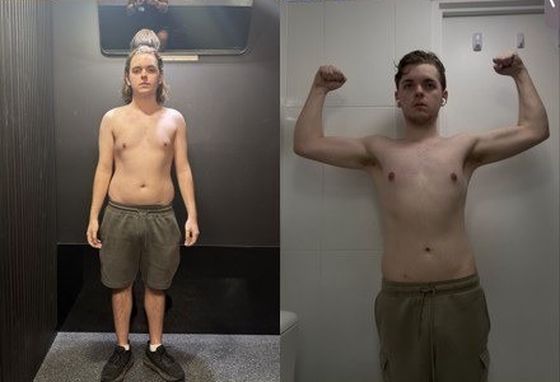
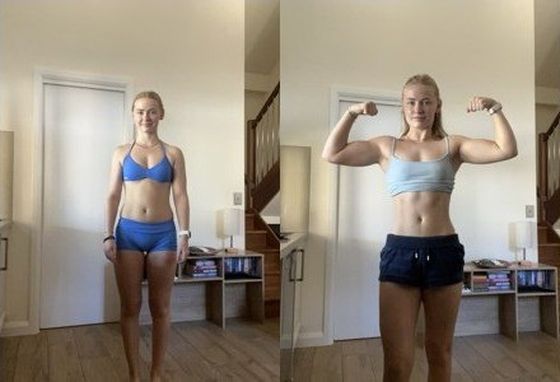
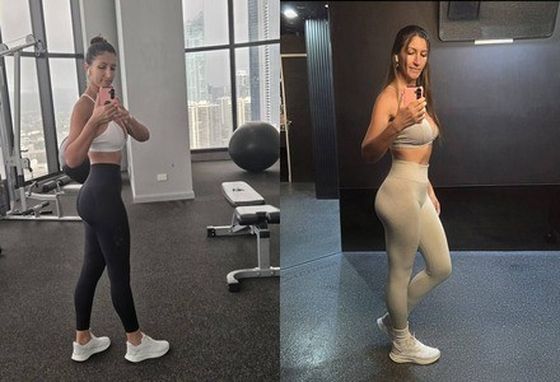
The coaching it was built around: fifteen of David's own KNGMVMT clients, before and after.


Questions coaches ask
Will my clients see my brand or yours?
Yours. Your name, logo, colours and fonts on the client app, and you choose which tabs and Home sections they see. There's a live preview while you set it up.
I coach in person and online. Does it handle both?
Yes. The iPad side runs the gym floor: today's sessions, set-by-set logging, skinfolds and agreements. The client app and HQ run everything online. Same clients, same file.
Do I need an iPad?
No. HQ runs in a browser on any laptop. The iPad screens are for coaches who train people in person.
How do clients pay?
Through your own Stripe account, connected in a few clicks. HQ shows who's paid, who's due and who's renewing, makes failed-card follow-ups a tap, and lets clients update their card and ask to pause in the app.
Can I bring my coaches?
Yes. Business includes two coaches and takes a third at A$39 a month, each with their own clients and calendar. Team includes five, more at A$39 each, and HQ exactly as each coach sees it. Roles and senior-coach approvals are coming to Team.
What does it cost?
For the five founding coaches: Business at A$1,990 a year paid upfront (2 months free) or A$199 a month, normally A$299 a month; Team at A$3,490 a year upfront or A$349 a month, normally A$499. Locked for as long as you stay. No setup fee; moving your clients across is a one-off fee by how many you move: free under 3, A$99 for 3 to 24, up to A$599 for 200 to 999. The Coach plan opens at public launch at A$149 a month.
What if it's not right for me?
Your first 30 days come with a money-back guarantee on your subscription. It doesn't cover the migration fee. After that, monthly plans run month to month and renew automatically each month until you cancel. You can cancel any time: it stops the next renewal, and the month you're in isn't refunded part-way. A 12-month plan isn't refundable after day 30. Nothing here limits your rights under the Australian Consumer Law.
Can you move my clients across from my current app?
Yes. I bring across your client list and weigh-ins (and check-ins and photos where your old app allows it) and rebuild your programmes and meal plans with you. It's a one-off fee by how many clients you move: free under 3, A$99 for 3 to 24, A$149 for 25 to 49, A$299 for 50 to 99, A$499 for 100 to 199 and A$599 for 200 to 999. Your brand, coaches and payments you set up yourself with a step-by-step checklist, with no setup fee.
Seen enough?
Five founding places. Applying is a 30-minute walkthrough on Google Meet.